Web Apps vs. Native Apps: Which is Right for Your Business?
If you're planning to build a digital product, this question comes up fast: should we build a web app or a native mobile app? It sounds like a technical decision, but it's really a business one. The answer affects how much you spend, how quickly you can launch, what your product can do, and how much ongoing work it takes to keep running.
Here's the honest breakdown.
First, what's the difference?
A web app is software that runs in a browser. Your users open Chrome, Safari, or whatever they prefer, type in a URL (or tap a link), and they're in. No download required. Think of tools like Notion, Figma, or Google Docs — they feel like apps, but they live on the web.
A native app is built specifically for a phone's operating system — iOS or Android. Users download it from the App Store or Google Play, and it lives on their home screen. Instagram, Uber, and your banking app are all native apps.
The distinction matters because each path comes with meaningfully different costs, capabilities, and constraints.
Cost
This is usually the first question, and the answer is clear-cut.
Web apps are significantly cheaper to build. You write one application that works everywhere — phones, tablets, laptops, desktops. One codebase, one team, one set of problems to solve.
Native apps cost more — often substantially more. iOS and Android are different platforms with different programming languages and design conventions. In practice, you're building two apps. Cross-platform frameworks like React Native and Flutter narrow that gap, but native development still demands more specialized skills, more device testing, and more time.
If budget is tight (and when isn't it?), a web app gives you far more product per dollar.
Time to market
Speed matters. The sooner your product is in front of real users, the sooner you learn whether it actually solves their problem.
Web apps ship faster. There's one version to build, and when it's ready, you deploy it to a server. Done. Every user gets the update instantly, the next time they open their browser.
Native releases include another delivery step. Every public release must pass through Apple's App Review or Google Play's review process. Apple says most submissions are reviewed in less than 24 hours, while Google notes that certain reviews can take up to seven days or longer in exceptional cases. A rejection adds fixes and another review cycle, so teams need to account for that lead time.
Features and device access
This is where native apps earn their higher price tag.
Native apps usually offer the deepest and most consistent access to device and operating-system capabilities. Depending on platform permissions and APIs, that can include:
- Camera with advanced controls — needed for AR features, barcode scanning, or professional-quality image capture
- Haptic feedback — those subtle vibrations that make interactions feel tactile and responsive
- Sensors — accelerometers, gyroscopes, precise GPS tracking
- Push notifications — deeply integrated into the lock screen and notification center
- Offline mode — native apps can store data locally and work without any internet connection at all
If your product fundamentally depends on advanced or consistently available versions of these capabilities, validate browser support before choosing web; native may be the safer delivery model.
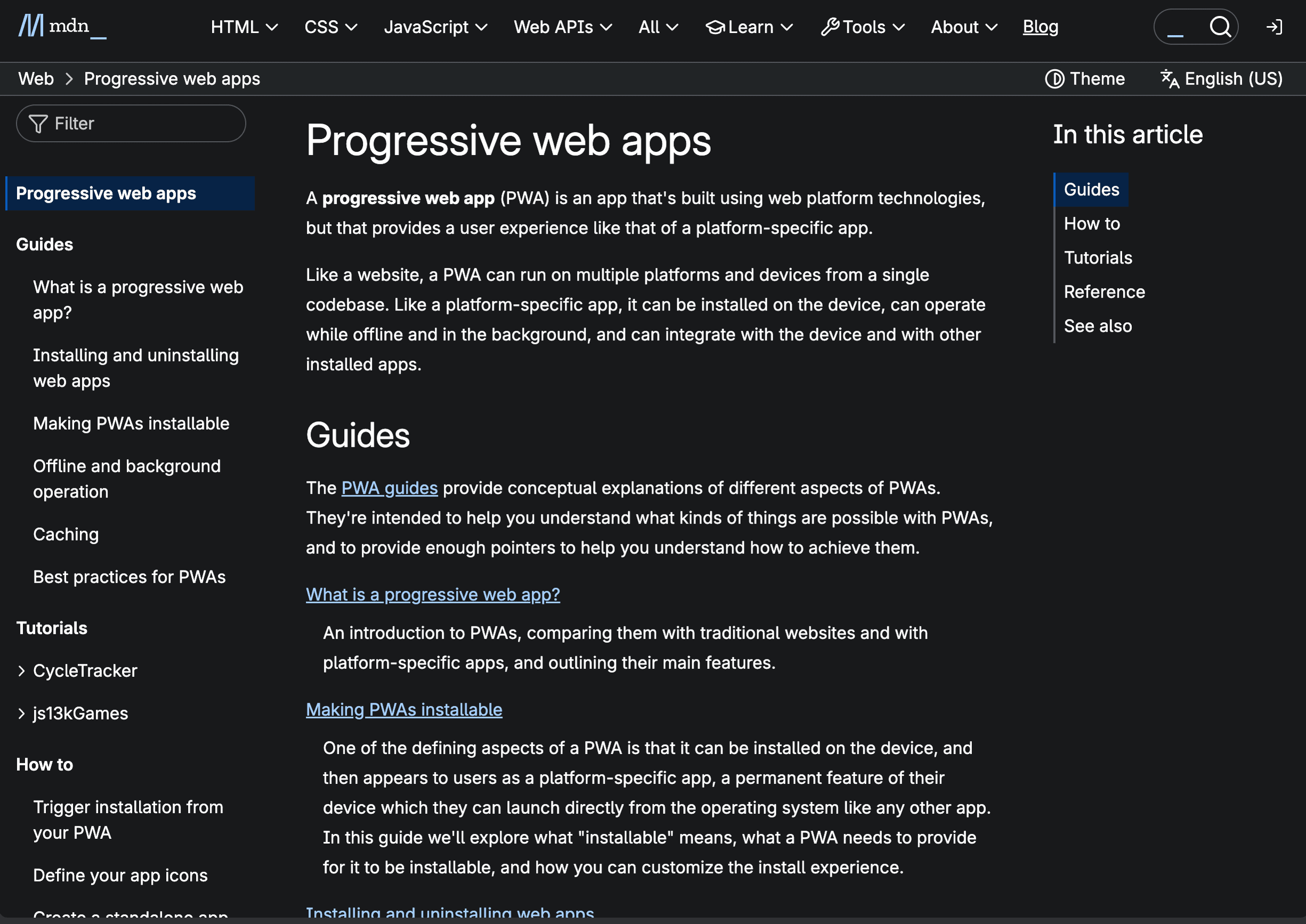
Web capabilities are broader than they used to be, but support varies. Progressive Web Apps can support installation, offline operation, push notifications, file access, and selected device APIs. The same feature may behave differently—or be unavailable—across browsers and operating systems, so use feature detection and provide fallbacks.
For most business applications — dashboards, booking systems, content platforms, internal tools, e-commerce — a web app handles everything you need. The features that genuinely require a native app are more specific than people assume.
Maintenance
Building the product is only the beginning. Keeping it running, updated, and bug-free is where the real long-term cost lives.
Web apps are dramatically easier to maintain. Push a fix to your server and every single user gets it on their next visit. No version fragmentation. No users stuck on old, buggy releases. No support tickets from people running a version from six months ago.
Native apps are harder to keep current. Every update goes through app store review again. Then users have to actually download it — and many don't update promptly, or at all. You end up supporting multiple versions simultaneously, which multiplies your testing and bug-fixing effort.
So which should you choose?
A web app makes sense when:
- Your budget or timeline is limited (or both)
- Your product is content-focused — information, forms, dashboards, transactions
- You want the broadest possible reach across all devices from day one
- You don't need deep hardware integration
A native app makes sense when:
- Your product relies heavily on device features like the camera, sensors, or offline storage
- Smooth, high-performance animations and interactions are central to the experience
- Being listed in the App Store and Google Play matters for your audience's trust and discovery
- You need the app to work reliably without an internet connection
Our honest recommendation: most businesses should start with a web app. It's faster to build, cheaper to maintain, and gets your product in front of users quickly — which is what matters most in the early stages. Once you've validated the idea and know that your users genuinely need native-level features, invest in a native app with confidence that the money is well spent.
Starting with web and graduating to native isn't cutting corners. It's being smart about where you put your money while you're still learning what your users actually need.
Quick comparison
| Category | Web App | Native App |
|---|---|---|
| Cost to build | Lower — one codebase for all platforms | Higher — often two codebases (iOS + Android) |
| Time to launch | Faster — deploy straight to a server | More lead time — releases include app-store review |
| Updates | Instant — users always get the latest version | Delayed — users must download each update |
| Device features | Limited — camera, GPS, basic offline via PWA | Full — haptics, Bluetooth, sensors, deep offline |
| Distribution | Share a URL — works on any device with a browser | App Store and Google Play listing required |
| Offline support | Basic — some caching through PWA | Full — can store data and run without internet |
| Maintenance | Simpler — one version to support | Harder — multiple versions across devices and OS levels |
| Reach | Broad — anyone with a browser, no install needed | Narrower — users must find, download, and install |
| User experience | Good — improving fast, but limited by the browser | Premium — smooth animations, OS-native feel |
| Best for | Dashboards, booking systems, content, e-commerce, internal tools | Camera-heavy apps, GPS trackers, games, banking, offline-first tools |